
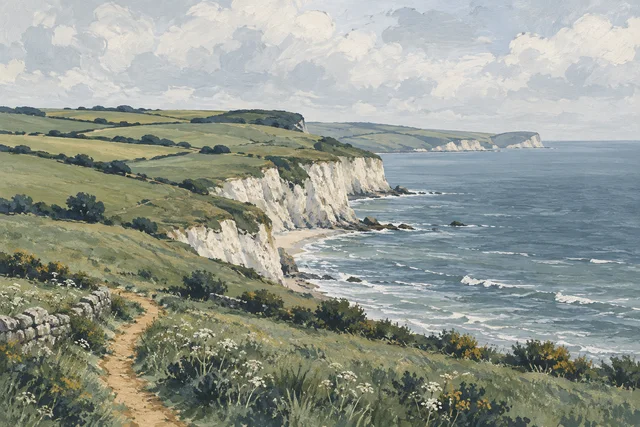
Keep the white border
Measure the full sheet, including the white border, and enter those sizes. The border becomes part of the artwork you are framing.

 Average 5 Star Rating
A little preparation. A perfect fit.
A few simple measurements are all you need. We’ll show you exactly where to start.
The most important thing
The sizes you enter tell us what artwork your frame needs to fit. They are not the outside dimensions of the finished frame.
Use a ruler or tape measure on a flat surface.
Check which edges to include in the examples below.
Select the matching units. Don’t subtract the overlap.
Find your starting point
The right measurement depends on what you want to see inside your frame.
01 / Edge to edge
For a print, photograph or piece of artwork without a white border, measure the full width and height from one edge to the other.
Enter those measurements into our website. You don’t need to add room for the frame or deduct anything for the overlap.
If you choose a mount, it will cover 4mm of your artwork on each side and make the finished frame larger.
For example: a print measuring 300 × 400mm should be entered as 300mm wide and 400mm high.
02 / A border is a choice
Some prints have an unprinted border around the image. Decide whether you want to show this white space or hide it behind a mount.
Measure the full sheet, including the white border, and enter those sizes. The border becomes part of the artwork you are framing.
Measure just the printed image, excluding the white space, and choose a mount. The mount will cover the border and overlap the image by 4mm on each side.
A mount adds a border around your chosen artwork size, so it also increases the overall size of the frame. You can choose the mount border when ordering.
03 / Keep the important details
If your print has a title, edition number, handwritten signature or other text that you want to see, include it in the area you measure.
Don’t measure only the picture and leave the writing outside those measurements. The example includes the white space beneath the picture so the title and signature stay within the measured area.
Allow for the overlap. A mount covers 4mm on every side. If a signature sits right against an edge, check with us before ordering so we can help you keep it visible.
Small edges. An important job.
A small amount of your artwork is covered at the edges to hold it in place. This is built into the framing process — enter your measured artwork size, without subtracting the overlap.
See what happens behind the mountA single or double mount overlaps the artwork by 4mm on every edge, leaving enough room to attach the artwork behind it with tape.
Picture frames have a lip that covers approximately 5mm of the artwork edge. Without this overlap, the artwork would fall through the front.
A worked example
Enter 100 × 100mm for your artwork. With a single or double mount, the visible opening is 92 × 92mm: 4mm is covered on the left, right, top and bottom.
The mount surrounds your artwork, making the frame larger. The finished outside dimensions also depend on your chosen moulding and mount borders; the artwork size is not the outside frame size.
A look behind the picture
Think of the mount as a window in front of your picture. The artwork sits behind the opening, rather than fitting into it. That is why the opening needs to be a little smaller.

Your artwork stays its original size. The mount covers a 4mm strip around all four edges, giving the picture a neat edge and preventing gaps around the opening.
Seen from behind, the paper extends beyond the opening. In this example, two small tape hinges attach the top of the artwork to the back of the mount.
You don’t need to cut 4mm off your print. You also don’t need to subtract it when ordering. Enter the artwork measurements shown in the examples above; we allow for the mount overlap.
How it fits together
A typical frame with a single mount is assembled in this order, from the front to the back. The gaps in the illustration are exaggerated so you can see each part.

The outer frame surrounds the stack of layers. Its inner lip holds them in place from the front.
The transparent sheet in front of the mount and artwork.
The card border you see around the picture. It overlaps each artwork edge by 4mm.
The full-size print sits behind the mount, with its picture facing towards the glazing.
The board closes the back of the frame and supports the contents.
For 100 × 100mm artwork, enter 100 × 100mm. The mount’s 92 × 92mm opening sits over it; the hidden 4mm on each edge is still there, behind the card.
Have a signature or important detail close to an edge? Check with us before ordering so we can help you keep it visible.
A little more to consider

Our frames can be used for canvases, with a few important choices to make when ordering.
Have a deep canvas or an unusual construction? Ask us about the fit before you order.

When framing artwork such as a painting, we recommend choosing a mount. At approximately 1.3mm thick, the mount helps keep the glazing from touching the artwork.
Remember that the mount overlaps your artwork by 4mm on each side and makes the outside of your frame larger.
For raised textures or an unusual piece, talk to us about the best framing option.
One final check
Take a moment to check these key facts before you order.